2 private links

eSpeak NG is an open source speech synthesizer that supports more than hundred languages and accents. - espeak-ng/espeak-ng

AAC designed to last, FreeSpeech AAC is a free and open-source AAC app for everyone. Communicate with symbols and text, and generate ultra-realistic AI voices for free.

A Dock-like Taskbar Plugin for XFCE (deb files). Contribute to jakbin/xfce4-docklike-plugin development by creating an account on GitHub.
Dock-like plugin for XFCE4.

GitLab.com

Install Debian with Debootstrap + Grub EFI. GitHub Gist: instantly share code, notes, and snippets.
Warpinator for linux void, Share files across the LAN - johna23-lab/warpinator-for-linux-void

This is a bash script that debootstraps a minimal (--variant=minbase) bootable Debian or Ubuntu system with networking. - kvaidas/debootscript
Preparing system for installation
Run Alpine setup.
setup-alpineSelect keyboard layout (e.g. us).
Select variant of layout (e.g. us)
Enter system hostname.
Select network interface.
Select if you want to use DHCP for interface.
Decide whether or not you want to manually configure network (default is "no").
Change password for root.
Set your timezone (e.g. America/New_York).
Set HTTP/FTP proxy URL option to default (none).
Set mirror for /etc/apk/repositories file and enable community repo.
Select SSH server (default is OpenSSH).
Exit Alpine setup with Ctrl+C key combination.
Install packages needed for next steps.
apk add cfdisk nano lsblk btrfs-progs btrfs-progs-extraCreate partitions with cfdisk
cfdisk /dev/vdaSet partition table so it looks similar to this.
Device
______blkid /dev/sda1 -s UUID -o value
Wing Menu is an alternative menu plugin for lxqt-panel - elviosak/plugin-wingmenu
These are my instructions for installing Arch Linux onto a UEFI system and setting it up to use a BTRFS file system with subvolumes. It will also include installing the KDE Plasma 6 desktop environment and SDDM display manager. This will be a succinct cheat sheet to help get you quickly get set up with a fully-fuctional Arch system. If you need a more comprehensive Arch installation guide, visit the Arch Wiki. Let's get 'er done!
Preparing system for install
Run ping command to ensure network connectivity.
ping -c 10 www.google.comEnable Network Time Protocol (NTP).
timedatectl set-ntp true

timedatectl status
Find out the naming convention of your drive's partition (e.g. /dev/sda, /dev/vda, /dev/nvme0n1).
lsblkCreate partitions. You'll need an EFI partition and a Linux filesystem partition, swap is optional.
gdisk /dev/vda

o
n 1 (default) +512m     ef00   # EFI system partition
n 2 (default) +4g      8200   # Linux swap (optional, same size as RAM)
n 3 (default) (default) 8300   # Linux filesystem (if no swap - change partition number to 2)
w
Create filesystems.
mkfs.vfat /dev/vda1
mkswap /dev/vda2
mkfs.btrfs /dev/vda3
Create subvolumes on BTRFS filesystem.
mount /dev/vda3 /mnt
btrfs su cr /mnt/@
btrfs su cr /mnt/@home
btrfs su cr /mnt/@snapshots
btrfs su cr /mnt/@log
umount /mnt
Mount BTRFS partition and subvolumes to /mnt.
mount -t btrfs -o noatime,compress=lzo,space_cache=v2,subvol=@ /dev/vda3 /mnt

mkdir -p /mnt/{boot,home,.snapshots,var}
mkdir -p /mnt/var/log
mkdir -p /mnt/boot/efi

mount -t btrfs -o noatime,compress=lzo,space_cache=v2,subvol=@home /dev/vda3 /mnt/home
mount -t btrfs -o noatime,compress=lzo,space_cache=v2,subvol=@snapshots /dev/vda3 /mnt/.snapshots
mount -t btrfs -o noatime,compress=lzo,space_cache=v2,subvol=@log /dev/vda3 /mnt/var/log

mount /dev/vda1 /mnt/boot/efi

swapon /dev/vda2
Arch Installation
Install Arch base packages and other useful ones to /mnt.
pacstrap -i /mnt base base-devel mkinitcpio linux linux-headers linux-lts linux-lts-headers linux-firmware nano vim git os-prober grub grub-btrfs btrfs-progs efibootmgr networkmanager gvfs falkon gparted clamav clamtk gufw network-manager-applet gnome-keyring terminator flatpak htop plasma sddmGenerate Fstab file and then inspect the contents of it.
genfstab -U -p /mnt >> /mnt/etc/fstab

cat /mnt/etc/fstab
Chroot into new installation.
arch-chroot /mntConfigure system locale(s) by editing /etc/locale.gen file using the text editor of your choice. Locate and uncomment the line of your locale (e.g. en_US UTF-8).
Generate locale file.
locale-genSet timezone (modify for your timezone if different).
ln -sf /usr/share/zoneinfo/US/Eastern /etc/localtimeSet hardware clock.
hwclock --systohc --utcEnable multilib repository by editing the /etc/pacman.conf file. Locate the line shown below and uncomment it. Should look like this:
[multilib]
include = /etc/pacman.d/mirrorlist
Ensure multilib repository is working and also update all repositories.
pacman -SySet system hostname.
echo yourhostname >> /etc/hostnameChange password of root.
Note: You will be prompted to enter a password and then will be prompted to reenter it for confirmation.
passwdCreate a standard non-root user account.
useradd -m -g users -G wheel -s /bin/bash yournameSet password for new user.
passwd yournameEdit sudoers file to allow newly created user to run commands and programs as if they were root.
EDITOR=nano visudoLocate the line shown below and uncomment it. Should look like this:
%wheel ALL=(ALL) ALLCreate system initial ramdisk environment for standard Arch kernel.
mkinitcpio -p linuxCreate system initial ramdisk environment for Arch LTS kernel.
mkinitcpio -p linux-ltsInstall GRUB EFI bootloader.
grub-install /dev/vda --efi-directory=/boot/efiUpdate GRUB configuration file.
grub-mkconfig -o /boot/grub/grub.cfgExit chroot environment
exitReboot system
rebootcat << EOF > /etc/fstab
UUID=$UEFI_UUID /boot/efi vfat defaults,noatime 0 2
UUID=$ROOT_UUID / btrfs $BTRFS_OPTS,subvol=@ 0 1
UUID=$ROOT_UUID /home btrfs $BTRFS_OPTS,subvol=@home 0 2
UUID=$ROOT_UUID /.snapshots btrfs $BTRFS_OPTS,subvol=@snapshots 0 2
UUID=$ROOT_UUID /var/log btrfs $BTRFS_OPTS,subvol=@var_log 0 2
tmpfs /tmp tmpfs defaults,nosuid,nodev 0 0
EOFcat << EOF > /filelocation/file.txt
Content you
want to add
to the file
EOF
Win+Shift+S for Windows versions earlier than Windows 10 1703. - itsmattkc/WinShiftS
Android real-time display control software. Contribute to barry-ran/QtScrcpy development by creating an account on GitHub.
Using early system files from Memphis to cheaply implement gradient title bars in Windows 95.
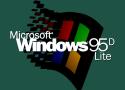
Windows 95 gets updated bigtime with newer drivers and components!

Open-source alternative launcher for Android TV, built with Flutter.